Is physical control, predictable performance, and strict compliance a priority for infrastructure? For US enterprises running latency-sensitive financial systems, regulated healthcare workloads, AI training, or specialized I/O needs, colocation combined with bare‑metal servers delivers that control while enabling network and carrier flexibility. This guide explains how colocation and bare‑metal hosting for high control works, when to choose it, step‑by‑step migration and troubleshooting procedures, realistic cost models for US businesses, and practical alternatives, all focused on delivering immediate, actionable guidance.
Key takeaways: what to know in 1 minute
- Colocation plus bare‑metal delivers physical control and predictable performance, ideal for latency-sensitive, GPU/AI, or compliance workloads.
- Total cost of ownership often beats public cloud at sustained, heavy workloads but requires capital and operational planning.
- Migration requires staged validation: inventory, replication, network testing, cutover, and rollback plans.
- Common colo pitfalls include connectivity, power planning, and compliance gaps, address via SLA negotiation and checklist.
- Troubleshooting hardware in colo follows clear steps: isolate, log, RMA, and coordinate on‑site access with provider.
Colocation refers to placing enterprise-owned or leased servers in a third‑party data center, while bare‑metal hosting provides dedicated physical servers without virtualization layers managed by the tenant or a managed provider. Together for high control, they allow full hardware visibility, direct access to physical resources, and custom networking or cross‑connects to carriers. This combination is preferred when control over hardware, deterministic performance, and physical security matter more than the elasticity of public cloud.
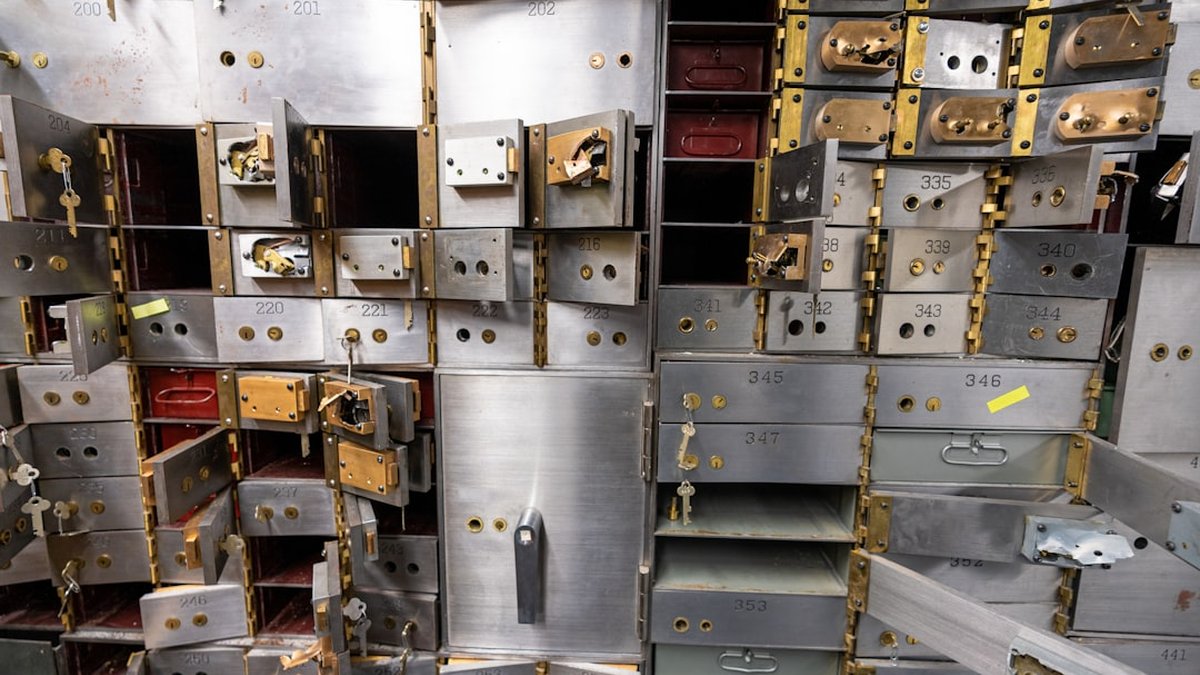
- Deterministic performance: No noisy neighbor effects or hypervisor-induced jitter for I/O and latency-sensitive apps.
- Cost predictability: Fixed monthly or amortized CapEx can reduce long‑term costs for consistently high utilization.
- Compliance and data residency: On-site control simplifies audits for HIPAA, PCI, and other US regulations when combined with proper physical controls.
- Network control and peering: Carrier neutrality and direct cross‑connects reduce latency and egress unpredictability.
Evidence and industry guidance back these benefits: performance benchmarking standards exist at SPEC, and design best practices are codified by tier and reliability standards like those from the Uptime Institute.
This comparison emphasizes scenarios where high control matters most. The following table alternates row styling for clarity.
| Criterion |
Bare‑metal colocation |
Public cloud |
| Performance consistency |
High, predictable I/O and latency |
Variable; strong for burstable tasks |
| Cost model |
CapEx + predictable OpEx; lower at scale |
OpEx; can be expensive and unpredictable for sustained load |
| Elasticity |
Limited; requires procurement and provisioning |
Near-instant scaling |
| Compliance |
Easier to demonstrate physical controls |
Shared responsibility model; strong cloud controls but audit complexity |
| Best for |
Low-latency trading, HPC, GPU training, regulated data |
Webscale apps, variable load, serverless |
Step 1: define objectives and requirements
Document performance targets (latency, IOPS), compliance needs (PCI, HIPAA), network topology, and expected growth. Use measurable SLAs (e.g., <1 ms latency to exchange, 100k IOPS sustained) to choose hardware and colo location.
Step 2: select data center and connectivity
Prioritize carrier‑neutral facilities with multiple IXs and direct cross‑connects. Verify physical security, certifications (SOC 2, ISO 27001), and outage history. Use carrier lists and facility tours to validate claims.
Step 3: select hardware and vendors
Choose server vendors compatible with required CPU/GPU, NVMe tiers, ECC memory, and redundant PSUs. For GPU workloads, include power and cooling margins. Consider vendors offering remote hands or managed bare‑metal options.
Step 4: design networking and addressing
Plan BGP, VLANs, and private peering. Reserve IP blocks and design routes for DR and cloud peering. Implement monitoring hooks and mirrors for packet capture if needed.
Step 5: staging and testing
Build a staging environment that mirrors production. Validate storage, latency, and throughput against benchmarks. Run failure scenarios, power loss, NIC failure, disk RMA, and confirm recovery procedures.
Step 6: security and compliance controls
Implement tamper-evident racks, access logs, encryption-at-rest and in transit, key management separation, and documented audit trails. Prepare for vendor audits and include right-to-audit clauses in contracts.
Step 7: cutover and validation
Use phased migration: replicate data, test read-only traffic, perform an initial small cutover, then full switch. Maintain rollback snapshots and a communication plan with stakeholders.
Step 1: inventory and dependency mapping
Catalog applications, dependencies, data flows, and inter-service latency budgets. Use tracing tools to identify tight coupling points and data gravity.
Step 2: replicate data and sync
Use block-level replication or database replication to keep data synchronized. Validate consistency windows and failover behavior. Maintain a sync cadence that matches RPO goals.
Step 3: test migrations in staging
Execute full DR drills in a controlled staging environment. Measure application performance and run load tests that replicate production patterns.
Step 4: orchestrate cutover with traffic steering
Leverage DNS TTL, load balancers, or BGP to steer traffic. Gradually increase traffic to bare‑metal nodes while monitoring KPIs; keep an automated rollback path.
Step 5: finalize and decommission old environment
After stabilization and verification against KPIs, decommission cloud instances or dedicated servers as appropriate. Archive logs and retain rollback images for a retention window.
Colocation hardware troubleshooting step by step
Step 1: detect and log the issue
Collect logs (system, network, monitoring), timestamps, and error messages. Correlate with recent change events and maintenance windows.
Step 2: isolate the faulty component
Use in‑band and OOB (out-of-band) management such as iDRAC/iLO for remote console access. Attempt safe reboots, check NIC link lights, and validate power supply status.
Step 3: coordinate with provider for on‑site actions
Open a ticket with the colo provider including exact rack, unit, and ticket references. Request remote hands for reseating drives, cycling PDUs, or verifying cabling as permitted by contract.
Step 4: replace and validate
When replacement hardware (spare drive, NIC, PSU) is installed, run verification tests: SMART, memtest, and FIO for disk I/O. Validate application-level integrity and performance.
Step 5: document and prevent recurrence
Document RCA, steps taken, and mitigation plans. Adjust monitoring thresholds and update runbooks to shorten future resolution times.
When to choose colocation vs dedicated servers
- Choose colocation when physical control, carrier neutrality, or on-site hardware access are required and when enterprise has capacity to manage hardware lifecycle.
- Choose dedicated hosting managed by provider when the business prioritizes ease of procurement and lower operational overhead but still needs single-tenant hardware.
Decision factors: latency, compliance, team capability, procurement lead times, network complexity, and long-run TCO.
Colocation hosting cost estimate for US businesses
Typical cost components:
- Space and power per U (monthly)
- Cross‑connects and bandwidth (monthly)
- Remote hands and managed services (per incident or monthly)
- Hardware CapEx or lease
- Rack and cage security or private suite premium
- Network equipment and initial cabling
Example realistic 3-year TCO scenario (mid‑sized US business):
- Rack space (42U) + power: $2,000–$5,000/month
- Network (10 Gbps port + cross‑connects): $1,000–$3,000/month
- Remote hands + managed services: $500–$1,500/month
- Hardware amortized (servers, switches): $1,500–$6,000/month (depending on GPU and redundancy)
- Total monthly: $5,000–$15,000; 3‑year TCO: $180k–$540k.
Public cloud equivalent for sustained heavy compute (GPU clusters, large IOPS) often exceeds these numbers. A cost calculator or spreadsheet should model utilization hours, reserved pricing, and migration costs.
For validated industry guidance on data center pricing and models, consult market research at Gartner and carrier-neutral lists at DataCenter Knowledge.
Signs your infrastructure needs colocation hosting
- Repeated cloud cost surprises with predictable, high utilization.
- Regulatory audits requiring physical control of hardware.
- Need for ultra‑low latency or direct carrier peering.
- High sustained GPU or storage I/O demand that is cost‑inefficient in cloud.
- Network complexity where multiple carriers and IX peering are required.
If two or more signals apply, colocation with bare‑metal should be evaluated.
Simple guide to colocation alternatives for enterprises
- Managed dedicated servers: Provider owns hardware; less operational overhead but less physical control.
- Private cloud / on‑prem: Full control and compliance, higher CapEx and facility management.
- Hybrid: colo + public cloud: Use colo for steady base load and cloud for burst/elastic needs.
- Bare‑metal cloud (metal-as-a-service): Cloud vendor provides single-tenant hardware with API-driven provisioning; blends control with elasticity.
Each alternative trades control, cost, and elasticity differently; the right choice depends on workload profiles and operational maturity.
Colocation + bare‑metal migration flow
🔍 Step 1 → inventory & requirements
🔁 Step 2 → replicate & stage
🧪 Step 3 → validate performance
🚦 Step 4 → phased cutover
✅ Success → monitor, optimize, document
For high control workloads, typical observed behaviors (2026 industry averages):
- NVMe local storage: 100k–1M IOPS depending on configuration.
- 10 Gbps latency to local switch: <0.2 ms; cross‑region BGP varies by distance.
- GPU training throughput scales linearly with NVLink and PCIe architecture; interconnect design directly impacts multi‑node training efficiency.
For validated benchmarking methodologies, use tools such as fio, sysbench, and tensorbench, and follow testing profiles recommended by SPEC.
- Confirm physical access controls and tamper evidence.
- Define uptime and power SLAs (N, N+1, 2N).
- Negotiate cross‑connect lead times and repair windows.
- Include right‑to‑audit and incident communications in contract.
- Document responsibility split for firmware updates and hardware replacements.
For compliance references, review NIST guidance at NIST and cloud vs on‑prem security controls at NIST publications.
Common mistakes and how to avoid them
- Underprovisioning power or cooling: validate nameplate and diversity factors.
- Ignoring network topology: plan BGP, failover and cross‑connects in advance.
- Weak contractual SLAs: ensure clear MTTR and escalation paths.
- Skipping staged migration and rollback testing.
Frequently asked questions
Colocation is the facility service where racks and power are rented; bare metal refers to dedicated physical servers. Both combined yield tenant-owned or dedicated hardware inside a third‑party data center.
Move when sustained performance, regulatory controls, or network topologies (carrier peering, low latency) outweigh the need for cloud elasticity.
How much does colocation cost for a mid‑sized US company?
Typical monthly totals range from $5k to $15k for a 42U rack with moderate networking and managed services; exact cost depends on bandwidth, redundancy, and hardware choices.
Yes. Common patterns use colo for baseline high‑performance compute and cloud for burst, analytics, or backup, often linked with secure VPN or direct peering.
What compliance controls are easier in colo vs cloud?
Physical controls, supervised access logs, and hardware custody are more direct in colo, simplifying audits for PCI and certain HIPAA scenarios.
Small pilots can take 4–8 weeks; full enterprise migrations often span 3–9 months depending on complexity and regulatory preparation.
How are hardware failures handled in colocation?
On‑site remote hands or customer technicians perform hardware swaps. SLAs should specify remote hands response times and RMA processes.
Yes. Several providers offer single‑tenant metal with API provisioning, combining control with faster provisioning than traditional colo.
Advantages, risks and common errors
✅ Benefits and when to apply
- Maximum hardware control for performance-sensitive workloads.
- Lower long‑term TCO for stable, heavy compute.
- Stronger physical security posture for regulated data.
Apply when latency, compliance, or predictable performance are non‑negotiable.
⚠️ Risks and mistakes to avoid
- Underestimating operational burden: on‑site hardware requires lifecycle management.
- Ignoring connectivity planning: network design drives latency and reliability.
- Weak contractual terms: missing SLAs and on‑site response guarantees can increase downtime.
Conclusion
Shifting to colocation and bare‑metal hosting for high control restores predictability, performance, and physical security for demanding US enterprise workloads. The approach requires planning and operational readiness but rewards with lower long‑term costs, improved compliance posture, and deterministic performance.
Your next step:
- Inventory applications and identify 1–2 high‑impact workloads that benefit most from physical control.
- Run a 4–8 week pilot in a carrier‑neutral colo with staged benchmarks and a clear rollback plan.
- Negotiate SLAs that include remote hands, RMA timelines, and right‑to‑audit clauses before signing.
